
Congratulations on purchasing a subscription to myHRfuture. Your learning journey starts here!
- To set-up your account from click on the activation link in the activation email that is auto-generated when you purchase a subscription to myHRfuture.
- You will be prompted to input the email address you entered when purchasing your subscription
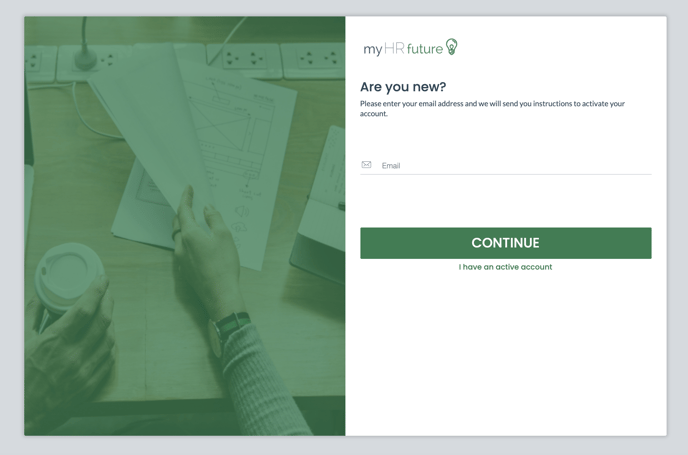
- Once you've input your email address click on 'Continue'
- You will be sent an activation code to the email address provided. This code is valid for 60 mins and is required in order to validate your account.
Please note in some cases the verification code can be filtered to your junk folder - so if you do not receive it immediately be sure to check there.
- Once you've input your verification code you will be asked to set a password and you're all set to go!
- The first time you activate your account you will be asked to select the skills you're interested in learning and growing. This will allow myHRfuture to personalise your learning experience based on the skills you care about.
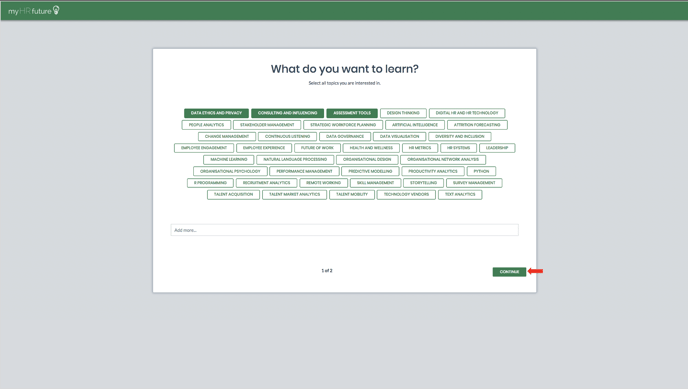
You can update your skills and interested at any point but navigating to the ME page within myHRfuture
Once you've selected the skills you're interested in learning you're ready to get stuck in and Press PLAY on Your Career®