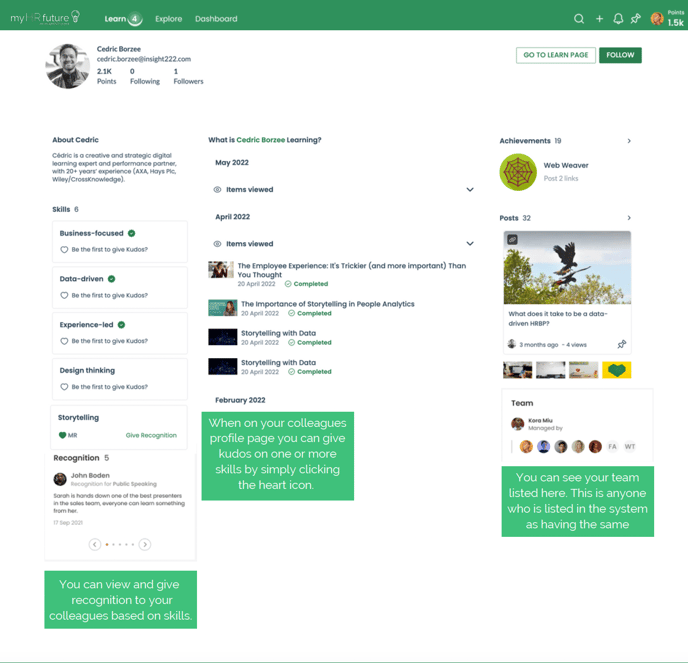
As you get stuck into learning on myHRfuture or perhaps prepare for a performance conversation with your leader, you might decide to go back and take a look at some of the different skill booster or learning pathways you've completed.
To do this simply click on the 'Learn' tab on the top navigation bar

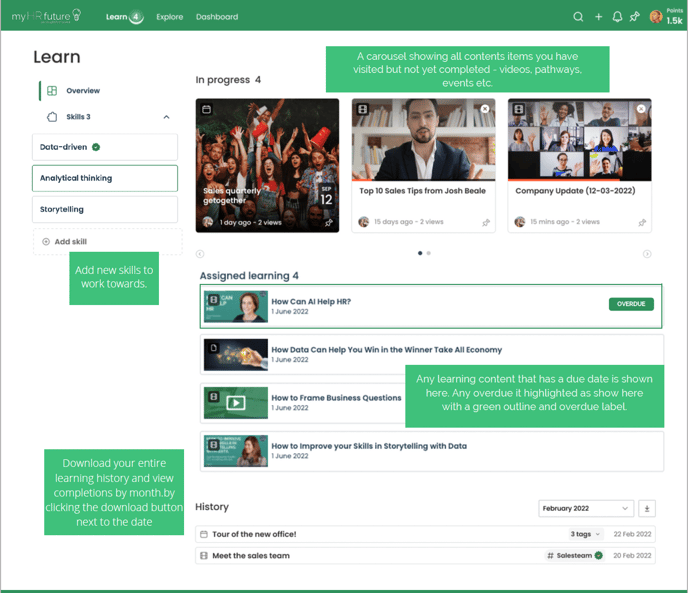
Here you will be able to view all of your learning history, so every piece of content you've consumed on the platform will be listed here.
On your Learn page you can do the following things:
-
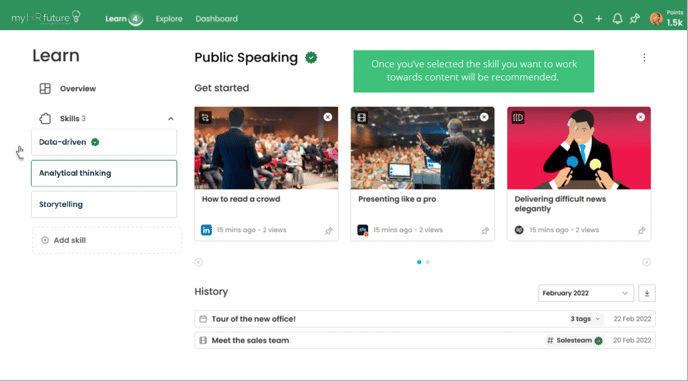
- Locate your learning history, any learning in progress and all completed learning
- Update and amend your skills and receive recommendations of key learning content based on your skills
- View your assigned learning
You can also access your Profile Page by clicking 'View profile' - this will also be accessible from the avatar menu in the top right navigation.
Here you can personalise your page by adding a photo and short bio about yourself, keep track of who follows you and who you are following, view and amend your skills, and of course keep track of learning and achievements!