Step One: Take your Learning Assessment
Step Two: How to Navigate Learning Pathways
Step Three: How to Browse Training
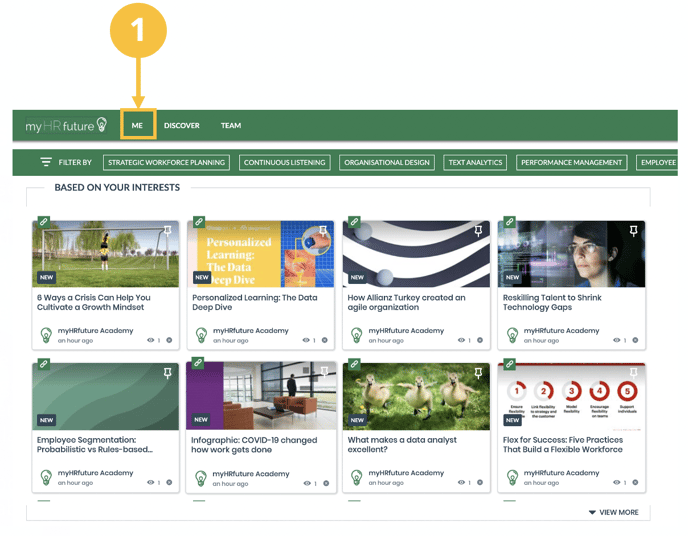
Step Four: Find Content Based on your Interests
Step One: Take your Learning Assessment
The best place to start in myHRfuture is with your learning assessment. The HR skills assessment is aimed at helping you identify your current skill gaps across the nine HR skills of the future and build you a personalised learning journey by recommending relevant content to help you close those gaps. So, whether you want to become more business focused, experience led or data driven we’ve got you covered.
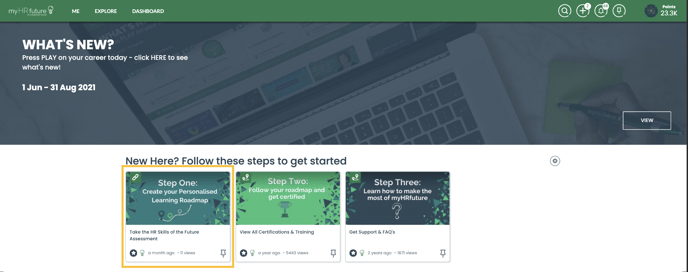
It's a great way of understanding where to start and the content that is most relevant to you, supporting you shape your learning journey.
You can learn more about the HR Skills of the Future Assessment here
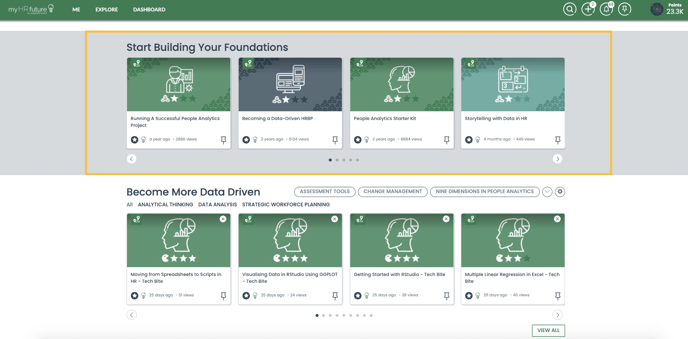
Learning Pathways - Building your Foundations
Pathways encompass a wide range of learning content into a structured path that you can follow to help you build a solid foundation in the nine skills of the future. These pathways provide a soild foundation that you can build upon through our skill booster courses that are aimed at more intermediate and advanced level content. So if you're looking for where to start pathways are a great place.
We currently have 9 pathways and are adding new ones on a regular basis. You can view all of the certifications and training courses we have by navigating to the “Certification and Training” pathway. It's Step Two in the steps to get you started, after you've taken your learning assessment.
To view all of the pathways we have simply click on the navigation arrows (2).
Pathways are a great place to start if you’re unsure of what you want to learn or are looking for a more structured experience.
Browse Training Courses
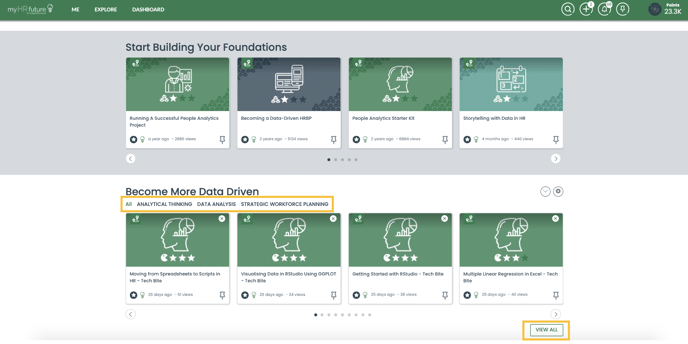
This section gives you a view of the latest skill booster training courses on the platform. You can filter the available training courses by skill, simply click on the skill you're interested in and you will see all of the training courses we have focused on this topic area.
Skill booster courses help you focus in on building a specific skill. Unlike Pathways they only comprise of instructor led videos.
To view all of the skill booster training courses and learning pathways available navigate to the “Certifications and Training” pathway at the top of the page under “Steps to Get Started”.
By clicking “view more” or “view less” you will be able to expand or collapse this section to view a wider or narrower range of content
Based on your Interests
This section provides you with personalised learning recommendations based on the skills you selected when activating your account – these are the skills you’ve shared with us that you’re interested in learning.
These learning recommendations will change and evolve as you consume content and as new content is added to the platform
To update your interests navigate to the ME tab. For further details click here (1)